Canva vs Photoshop: Which Tool Is Better for Designers?
GRAPHIC DESIGN
Pallabi Das
3/12/20265 min read
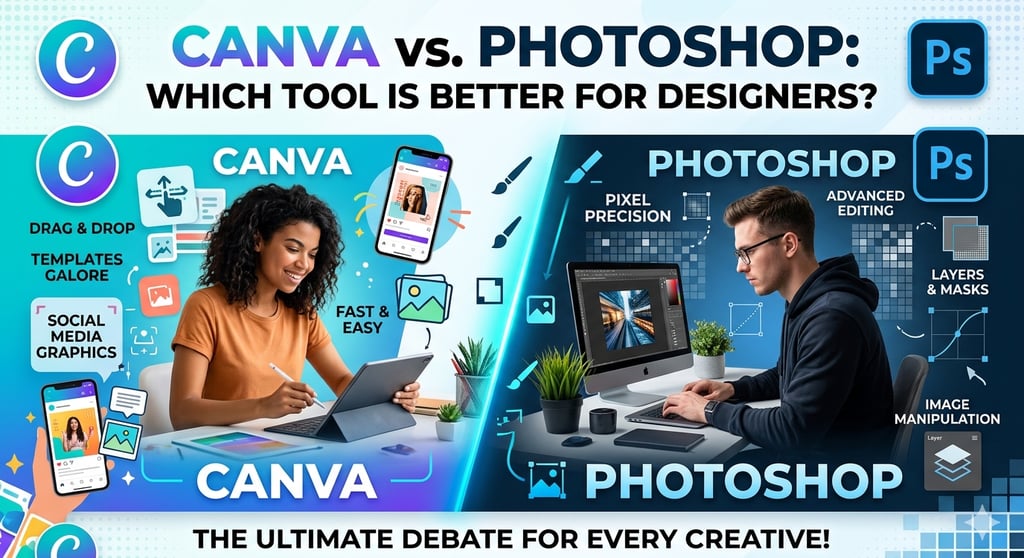
In the digital age, pictures and videos are very important for talking to people, advertising, and building a brand. Graphic designers and advertisers use powerful tools to make ads and graphics for social media that look great. Adobe Photoshop and Canva are two of the most popular design programs right now. Both tools help designers make good pictures, but they are made for people with different levels of skill.
In this blog post, we'll talk about the main things that set Photoshop and Canva apart. We'll also talk about the pros and cons of each one and which one is best for different types of businesses and designers.
Getting to know Canva
Canva is a cloud-based graphic design program that is easy to use. It's mostly for people who are new to design, marketers, and business owners who want to make designs that look good without having to learn how to do it well.
You can move things around in Canva, which is one of its best features. It makes it easier and faster to make graphics for flyers, posters, social media, and presentations. There are thousands of ready-made icons, fonts, images, and templates that make it easy and quick to make something.
What I Like Best About Canva
A user-friendly interface Canva is simple to use. You can start making graphics in just a few minutes, even if you've never done it before.
A lot of models You can start making brochures, marketing materials, resumes, social media posts, and presentations right away because there are thousands of templates to choose from.
A cloud-based platform Canva is a web-based program, so you don't have to download any big software to get to your designs.
Things that make it easier for people to work together It's great that the marketing and business teams can start making designs right away.
Prices that are fair Canva's free version has a lot of helpful tools. Canva Pro costs more, but it has more design tools and options.
Canva has some issues
A lot of people like Canva, but it does have some issues: There aren't many editing tools that are very advanced. Not as much control over how to change pictures in detail Not good for graphic design or professional photo editing that is hard to do.
How to Work with Photoshop
Adobe Photoshop is a very well-known and powerful tool for editing photos and making graphics. For years, it has been the standard for professional photographers, designers, and digital artists.
With Photoshop's advanced tools, you can do a lot of things, such as fix up photos, make digital art, plan out web layouts, and make graphics that look great.
What You Should Know About Using Photoshop
Making changes to pictures that are harder to do You can change pictures in any way you want in Photoshop. There are many ways you can change, edit, and fix them.
Using Layers Designers can work on more than one part of a design at a time with layers. They can use their creativity to make this as different as they want.
Things that will make your designs look like they were made by a pro In Photoshop, you can make your own advanced tools like brushes, smart objects, blending modes, and masking.
Good quality output Graphic designers can make graphics that look good in business settings, on paper, and in ads.
A lot of extra help A lot of Photoshop plugins add new tools.
You can't do these things in Photoshop.
Photoshop is a great program, but it does have some issues: It's harder for people who haven't learned how to do it yet. It needs to be set up, and it takes up more room on the system. Some people might think that paying for a subscription every month is too much.
The most important things that set Canva and Photoshop apart
Designers can pick the right tool for their needs if they know what sets Canva and Photoshop apart.
Easy to use Canva is easy to use, even if you aren't a designer. Its simple drag-and-drop system lets you make designs quickly and easily. You do need to know how to use Photoshop and practice, though. It might be too much for people who haven't done it before. Canva is the best.
Design that can be changed With Photoshop, it's much easier to change designs. Designers can make small changes to each part. Canva has more templates, which makes it harder to change things. Photoshop is the best software.
You can use these templates and designs right away. Canva is a great tool because it has thousands of templates that are already made, so you don't have to make them yourself. Designers have to start over a lot when they use Photoshop. Canva is the best.
The ability to change photos Photoshop is the best program for changing photos. It has great tools for a lot of things, like changing backgrounds and making more complicated changes and fixes. Canva has some basic editing tools, but they aren't as good as those in Photoshop. The best is Photoshop.
Cost The free version of Canva works well, and the Pro version isn't too pricey either. You have to pay for an Adobe subscription every month to use Photoshop. For new people or small businesses, this can be very costly. Canva is the best.
What do designers use the most?
It all depends on how much you know and what you need.
The best thing about Canva is:
People who are new to design and don't know how to do it yet.
People who use social media
People who write blogs and make things
Small new businesses
Graphics that speed up and simplify marketing
Canva is a great way to quickly make nice graphics for marketing and social media.
Here are some of the best things you can do with Photoshop:
People who make money by taking pictures
People who take pictures
People who draw and paint on computers and other digital tools
People who are good at selling
Do design work that is hard to finish.
Photoshop is the better choice if you want to be able to edit like a pro and have full control over your creative work.
How to Use Canva and Photoshop to Sell Things Online
These two things are very important for running a business online. Canva is a great tool for marketers who need to make social media posts, banners, and other things to promote their business. Photoshop is used by people to do detailed graphic work, make ads that look like they were made by a professional, and do advanced branding.
It can be very helpful to use both tools at the same time when agencies offer the best digital marketing services. Canva helps you make content, and Photoshop makes sure that the pictures you use for ads and branding are good quality and work for you.
Final Thoughts
You can make things with both Photoshop and Canva, but they do different things. Canva is a great tool for marketers and people who are just starting out because it's easy to learn and use. Photoshop, on the other hand, is a professional design program that lets you change and add to things more than any other program.
Many designers use both tools for different projects instead of picking one over the other. It's easy to make social media posts and designs with Canva. Photoshop is better if you need to do a lot of editing or graphic design in great detail.
The best tool for you will depend on what you want to make, how good you are at it, and how you like to work. A lot of companies use both platforms to find good content that helps them promote themselves and build their brands. This is especially true when they hire the best companies for digital marketing.